Oftentimes members regularly using PTC/GPT websites would like to own a site of their own but hesitate due to lack of knowledge. This is a step by step guide to getting started in the GPT industry.
The number one question regarding opening a PTC/GPT website is how much money will I need? and this varies greatly. It will depend on everything from what you can do yourself to the domain extension you choose. To start off with a .com, a yearly hosting plan on shared hosting, a decent script and professional design you will need around $500. It is possible to start with a $1 domain and a $15 turnkey but you will get what you pay for. Also keep in mind a cushion for member payouts while you are waiting to be paid by offerwalls or haven't found advertisers.
The second most often asked question regarding opening a site is how much money will I make? Again this question is hard to answer, some sites are profitable from the go, other sites struggle to stay viable, and still other sites are ran at a loss as an owners hobby. A site that starts off popular can fail for a variety of reasons. A site that starts off small can suddenly pick up. Active responsive admin do seem to have a better go of it.
Starting From Nothing
1- Choose your domain name :
This step is crucial, there is no going back and changing it later if you want members to take your site seriously, use godaddy or namecheap domain search tools to verify the domain name availability. Once you have decided on an available name you will need to pick a domain registrar, I suggest Namecheap but Godaddy is also good. Namecheap provides free whois protection, you will definitely want whois protection no matter where you purchase your domain.
2- Choose your domain name :
PTC websites will require certain things depending on the script, some hosts won't allow PTC on shared hosting. Be sure you have appropriate hosting before launching by checking terms or simply asking if PTC is allowed. Shared hosting is generally fine when first starting out, you won't use much in terms of bandwidth or diskspace for a few months. You can always upgrade your hosting later.
After purchasing hosting you will be provided with nameservers to point your domain to. In your domain registrar manage your domain and you will find a place to update the nameservers with those provided by the hosting company. This change can require up to 72 hours to propagate worldwide, although usually this happens in a matter of hours however if it is taking much longer google flushing your DNS to help speed up the process.
3- Choose Your Script :
Of course I have to suggest the latest release of Aurora Coderz Deluxe however instead of listing the various scripts available instead I will list some thoughts you should have when deciding.
If you are unable to alter the default template yourself you will have to pay for design services which can get pricey quickly. If you do not have the budget for design there are many free image editors available online and the default templates included with your script usually include some kind of instructions for use. If not you should be able to ask the script provider how to alter the template you decide on.
Starting From A Turnkey :
If you want to skip the steps above launching your website by buying a pre-built website can take a lot of the hassle out of getting started. Generally a turnkey is an already designed ready to go scripted website and hosted with appropriate hosting included for a set time. Turnkey websites are also generally cheaper as the layout is not unique, only the theme is.
Setting Up :
Now that you have your website, whether you started from scratch or bought a turnkey, it's now time to go through all the settings. Crons jobs, site settings, advertising settings, member settings, product settings, memberships, specials, etc. Every PTC/GPT script I am aware of will have cron jobs you will need to set up for the site to function properly. The script you have chosen will call things by different names but you must go through all settings pages you can find. Decide on which payment processors you wish to accept and pay out in and set them up accordingly. If your script included offerwalls go through and get them set up as well as this is an income source for your website. Anything you don't understand the script provider should be able to explain.
Next you need to set your terms of service. I can't write these for you but it's easy to get a feel for what is generally required by checking out the terms of some sites in the same industry.
If your script came with a privacy policy page make sure you fill it out as well. If your script didn't come with a privacy policy page you should either use a built in tool to create one or ask the developer about it. This is an important page to Google and so it should also be an important page to you.
Set up your forum with relevant boards and topics. If your chosen script didn't include a forum be sure you have one installed behind your website in a sub-directory. Many active clickers will pass by a website without a forum.
Decide whether or not you will be starting with self sponsored paid to click ads. At the beginning many admin set up self sponsored ads so that members might earn while searching for advertisers before offerwalls began being included in PTC websites. With offerwalls admin no longer have to set up self sponsored ads to give members an earning method so the choice is now yours. You may also consider giving a bonus of PTC credits for signing up to get ads on the site quickly if your script is set up for it.
If you are using the traffic exchange be sure to place some ads so members have a way to earn credits and set up their own ads in the beginning.
If you are enabling an ad grid or similar feature see if it needs an active ad to function properly as some do, including the grid included with AC Deluxe.
Join ad networks such as adhitz, a-ads, or any that accept PTC websites and place their codes on your website either directly in the html or in a code rotator to begin monetizing your site from the beginning.
Launching Your Website :
First, check everything over one final time. Be sure you haven't missed any settings and your terms are clear.
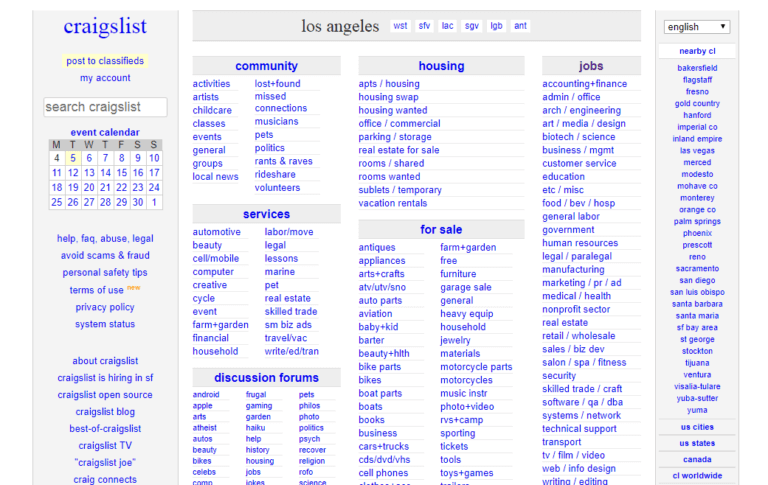
In the beginning you will need to advertise your own website fairly heavily. A referral contest or enabling PTP may help get your members to begin advertising your website before you have made your first payments. Join PTC related forums and list your website there. Use your forum signature to promote your site at any forum that allows it including other PTC sites. Consider craigslist or other job listing boards to post your website on. Social media can make a big difference, consider building pages dedicated to your website.
3- Choose Your Script :
Of course I have to suggest the latest release of Aurora Coderz Deluxe however instead of listing the various scripts available instead I will list some thoughts you should have when deciding.
- When was the script last updated? Even a year ago is too long with the advancements in PHP.
- Is there an active developer working on the script? Multiple scripts out there are owned only by resellers with the developers no where to be found. No developer means no updates and usually no bug fixes or security patches.
- What is the latest version of PHP the script will run on? This is vital for security reasons. You can check PHP.net directly to see the latest version released.
- Can you find any other websites using the script? Check the sites forum for member complaints regarding default features.
- Is customization or security more important to you? Some scripts have the pages encrypted, this does help in securing the script overall but also may hinder customization of default features.
If you are unable to alter the default template yourself you will have to pay for design services which can get pricey quickly. If you do not have the budget for design there are many free image editors available online and the default templates included with your script usually include some kind of instructions for use. If not you should be able to ask the script provider how to alter the template you decide on.
Starting From A Turnkey :
If you want to skip the steps above launching your website by buying a pre-built website can take a lot of the hassle out of getting started. Generally a turnkey is an already designed ready to go scripted website and hosted with appropriate hosting included for a set time. Turnkey websites are also generally cheaper as the layout is not unique, only the theme is.
Setting Up :
Now that you have your website, whether you started from scratch or bought a turnkey, it's now time to go through all the settings. Crons jobs, site settings, advertising settings, member settings, product settings, memberships, specials, etc. Every PTC/GPT script I am aware of will have cron jobs you will need to set up for the site to function properly. The script you have chosen will call things by different names but you must go through all settings pages you can find. Decide on which payment processors you wish to accept and pay out in and set them up accordingly. If your script included offerwalls go through and get them set up as well as this is an income source for your website. Anything you don't understand the script provider should be able to explain.
Next you need to set your terms of service. I can't write these for you but it's easy to get a feel for what is generally required by checking out the terms of some sites in the same industry.
If your script came with a privacy policy page make sure you fill it out as well. If your script didn't come with a privacy policy page you should either use a built in tool to create one or ask the developer about it. This is an important page to Google and so it should also be an important page to you.
Set up your forum with relevant boards and topics. If your chosen script didn't include a forum be sure you have one installed behind your website in a sub-directory. Many active clickers will pass by a website without a forum.
Decide whether or not you will be starting with self sponsored paid to click ads. At the beginning many admin set up self sponsored ads so that members might earn while searching for advertisers before offerwalls began being included in PTC websites. With offerwalls admin no longer have to set up self sponsored ads to give members an earning method so the choice is now yours. You may also consider giving a bonus of PTC credits for signing up to get ads on the site quickly if your script is set up for it.
If you are using the traffic exchange be sure to place some ads so members have a way to earn credits and set up their own ads in the beginning.
If you are enabling an ad grid or similar feature see if it needs an active ad to function properly as some do, including the grid included with AC Deluxe.
Join ad networks such as adhitz, a-ads, or any that accept PTC websites and place their codes on your website either directly in the html or in a code rotator to begin monetizing your site from the beginning.
Launching Your Website :
First, check everything over one final time. Be sure you haven't missed any settings and your terms are clear.
In the beginning you will need to advertise your own website fairly heavily. A referral contest or enabling PTP may help get your members to begin advertising your website before you have made your first payments. Join PTC related forums and list your website there. Use your forum signature to promote your site at any forum that allows it including other PTC sites. Consider craigslist or other job listing boards to post your website on. Social media can make a big difference, consider building pages dedicated to your website.